 WaGuard
WhatsApp parental control · Android
WhatsApp parental control: blur inappropriate photos and videos on Android.
WaGuard is an Android parental control app that checks the photos, videos and stickers your child receives on WhatsApp and hides the explicit ones. The AI runs on the phone: no image is ever sent to a server.
- Never reads chats
- On-device analysis only
- Free, no ads
- 01WhatsApp media onlyPhotos, videos and stickers, never chats or messages.
- 02On-device analysisImages stay on your child's phone.
- 03Parents stay informedYou get an alert about the content type, never the image.
Watch the ad
WaGuard in 30 seconds
What happens when a photo your child shouldn't see lands in a chat. The voice-over is in Italian.
The video is hosted on YouTube and loads only when you press play. Watch it on YouTube
Simple to set up
Ready in five minutes, then it works on its own
One app, two roles: install it on your child's phone and on yours.
- 01 · CHILD’S PHONE
Install WaGuard on your child's phone
Choose «This is the child's phone», read together what the app does and pick the WhatsApp media folder. WaGuard can only see that folder.
- 02 · PAIRING
Link your phone with a code
On your phone choose «Parent», create the account and generate an 8-character code. Enter it on your child's phone and the two phones are linked.
- 03 · PROTECTION ON
Every received item is checked
Photos, videos and stickers are analysed as soon as they arrive. Explicit ones are hidden and you get an alert with type and time, never the image.
Privacy, in plain sight
Protection, not spying
WaGuard is designed to protect your child, not to watch them. That's why it is clear, to them too, what it does and what it doesn't.
What it does
- Blurs inappropriate photos and replaces explicit videos with a black «Content blocked» frame.
- Checks received stickers too.
- Keeps originals for 30 days in a private folder, so you can restore them if it got it wrong.
- Protects settings and uninstalling with the parent PIN.
- Shows your child, in the «What my parent sees» screen, exactly what is shared.
What it never does
- It never reads messages or chats.
- It never sends photos, videos, file names or contact names to any server.
- It never accesses contacts, SMS, passwords or location.
- No ads, and no data is ever sold.
- It cannot be used to monitor other adults.
Inside the app
What the app looks like
Real screens, on the child's phone and the parent's.
Swipe to explore the screens
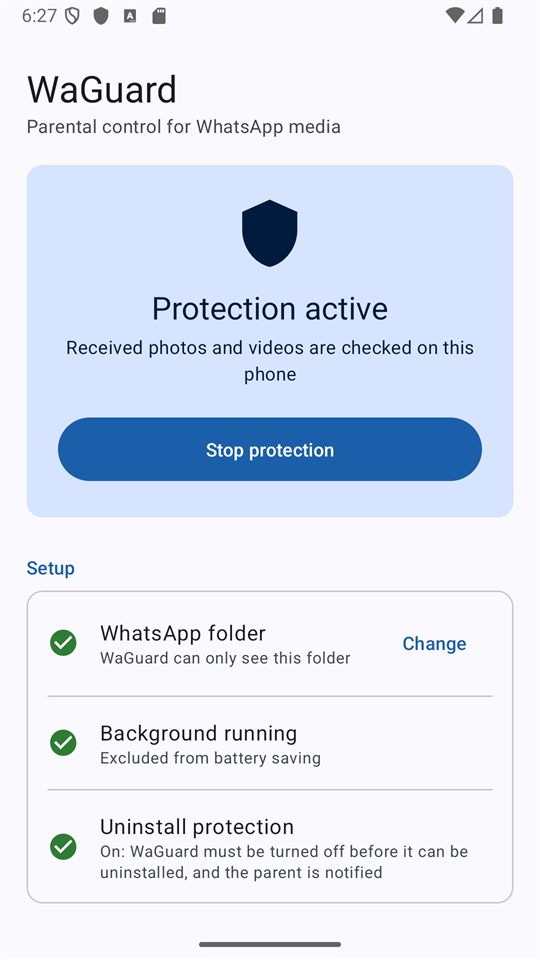
Protection active on the child's phone 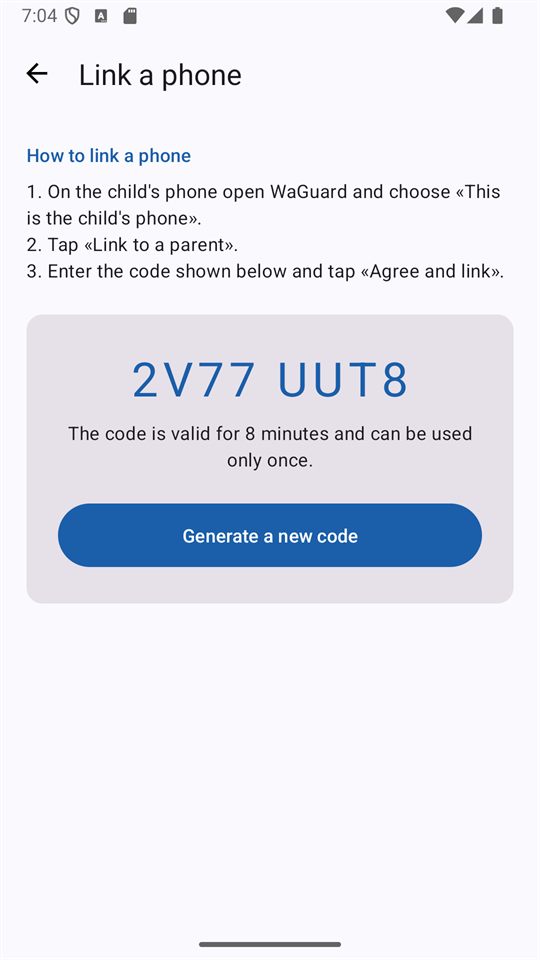
Linking with a code 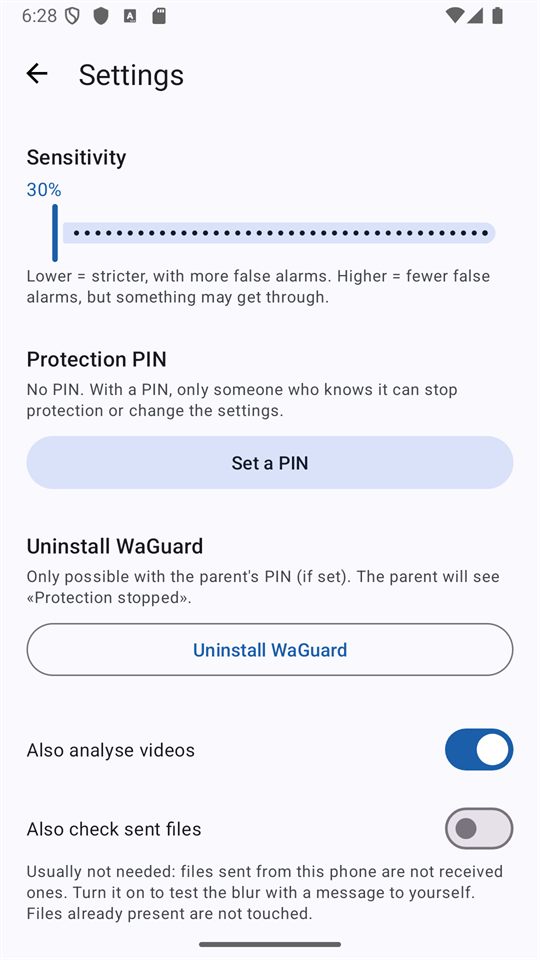
Sensitivity and parent PIN 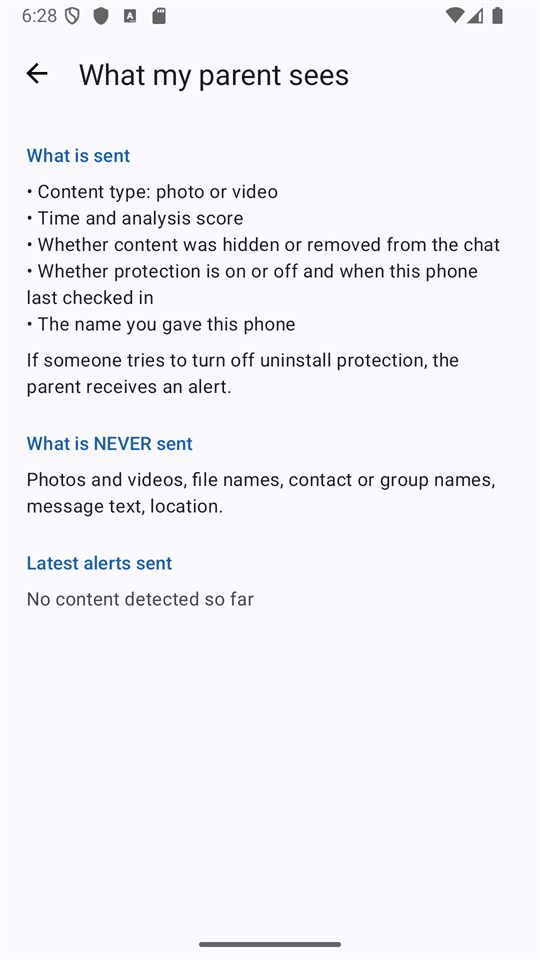
Transparency with your child 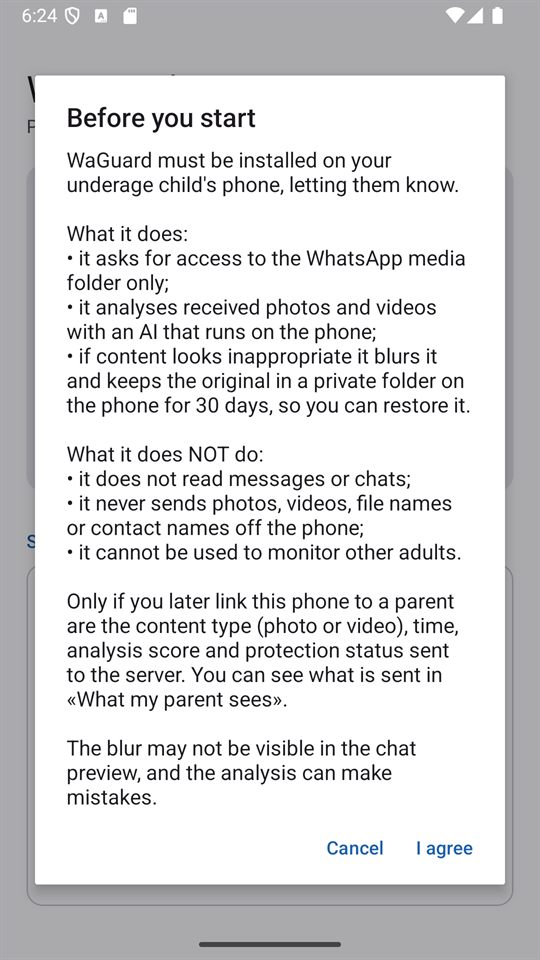
Clear consent before starting
What it can and can't do, stated plainly
No app can block content before it reaches WhatsApp. WaGuard greatly reduces the risk, but it's worth knowing where it stops.
If an adult sends explicit material to your child
Don't forward or share it. Keep it on the phone, where WaGuard holds the original in quarantine, and report it to the police or your national child-protection hotline.
- It acts after the content arrives
- The check starts as soon as the file reaches the phone: for a couple of seconds the content may be visible.
- View-once photos can't be analysed
- WhatsApp does not save view-once photos and videos to the phone’s shared storage (the WhatsApp media folder): they stay only in the app’s private storage, which no other app can read. That’s why WaGuard, like any other app, cannot analyse them.
- The chat preview may stay sharp
- WhatsApp keeps a small thumbnail in its own database, which other apps cannot change.
- The AI can make mistakes
- It may hide an innocent photo or let an inappropriate one through. You can adjust the sensitivity in the settings.
- Android only
- On iPhone no third-party app can access WhatsApp content.
Guides for parents
Practical answers to the most common questions about WhatsApp and kids.
- WhatsApp parental control apps comparedWaGuard, Family Link, Screen Time: which one actually checks received photos.
- How to block inappropriate photos and videos on WhatsAppSettings to turn on and how to blur explicit content automatically.
- WhatsApp view-once photos: what parents need to knowHow they work and why no app can analyse them.
- Family Link and WhatsApp: what it controls and what it doesn'tTime limits and approvals yes, received photos and videos no.
- School WhatsApp groups: how to protect your kidsSettings, rules for admins, what to do if a photo goes around.
Straight answers
Frequently asked questions
What app blurs inappropriate photos on WhatsApp?
WaGuard is a free Android app that automatically blurs explicit photos, videos and stickers your child receives on WhatsApp. The analysis happens on the phone: it doesn’t read chats and doesn’t upload images to any server. Compared with Family Link and other apps.
How does WaGuard's WhatsApp parental control work?
WaGuard is installed on your child's Android phone and checks the WhatsApp media folder. Every photo, video or sticker received is analysed by an AI that runs on the phone. If the content looks explicit, the photo is blurred and the video is replaced by a black frame reading «Content blocked». The original is kept for 30 days in a private folder and the parent can restore it. Read the full guide.
Does WaGuard read my child's messages or chats?
No. WaGuard does not read messages or chats and does not access contacts, SMS or passwords. It only sees the files in the WhatsApp media folder you choose.
Are my child's photos sent over the internet?
No. The analysis happens entirely on the phone. If you link your parent phone, the server only receives the content type (photo or video), the time, the analysis score and the protection status. Never images, file names or contact names. Details in the privacy policy.
Does WaGuard work on iPhone?
No. On iPhone, third-party apps cannot access WhatsApp content. WaGuard works only on Android 8.0 or later.
Does it work with view-once photos?
No. WhatsApp does not save view-once photos and videos to the phone’s shared storage (the WhatsApp media folder): they stay only in the app’s private storage, which no other app can read. That’s why WaGuard, like any other app, cannot analyse them.
Can my child turn off or uninstall WaGuard?
Settings, quarantine and uninstalling are protected by the parent PIN, and WaGuard protects itself from removal as a device administrator. A tech-savvy teenager can still turn it off from Android settings: in that case the parent gets an alert.
How much does WaGuard cost?
WaGuard is free and has no ads.
What should I do if an adult sends explicit material to my child?
Do not forward or share it. Keep it on the phone, where WaGuard holds the original in quarantine, and report it to the police or to your national child-protection hotline.
Talk to your child, then install it together.
WaGuard works best when your child knows it's there and why. It helps you protect them while they learn to use their phone.